
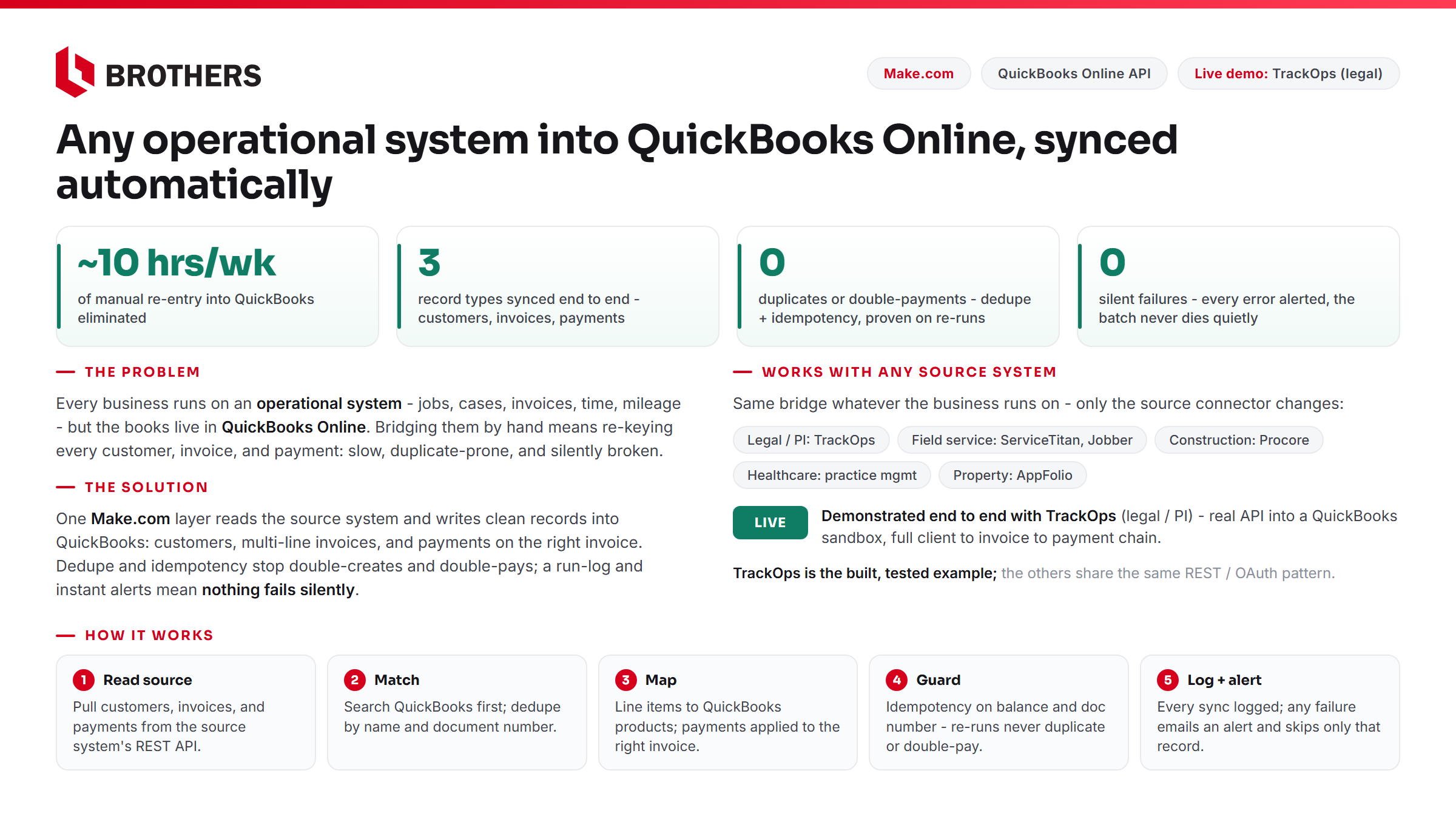
This is a demonstration build — a working integration we built ourselves, run against a QuickBooks Online sandbox on a live operational system’s API, to show what this kind of integration does. It is not paid client work.
Almost every established business runs on two systems that do not talk to each other: the operational system where the work actually happens — jobs, cases, clients, invoices, time, mileage — and QuickBooks Online, where the books live. Bridging them by hand means re-keying every customer, invoice, and payment. It is slow, it creates duplicates, payments land on the wrong invoice, and when it breaks, no one finds out until the books are already wrong.
We built this integration to show the bridge working — demonstrated end to end with TrackOps, a legal and investigations case-management platform, into a QuickBooks Online sandbox. The pattern is the same whatever the source system is; only the connector on the left changes.
What it does
1. Customer sync. Clients flow from the operational system into QuickBooks as customers. Before creating anything, it searches QuickBooks by name — if the customer already exists, it updates; if not, it creates. That single check is what prevents duplicate customer records.
2. Invoice sync. Each invoice is rebuilt in QuickBooks with all of its line items, and every line is mapped to the correct QuickBooks product or service. Totals match to the cent. Invoices are keyed by their document number, so a re-run updates the existing invoice instead of creating a second one.
3. Payment application. When an invoice is paid in the operational system, the integration records the payment in QuickBooks against that specific invoice, so the balance clears — instead of posting the money as a floating, unapplied credit. It only applies a payment when the QuickBooks invoice still has a balance, so re-running never double-pays.
The part that matters most: nothing fails silently
The difference between an integration you can trust and one you cannot is what happens when something goes wrong. This one writes a row to a run-log for every sync — what synced, to which QuickBooks record, success or failure, with a timestamp. And each write is wrapped so that on any error it emails an alert with the exact QuickBooks message, logs the failure, and skips only that one record — the rest of the batch keeps running. One bad record never takes down the whole sync, and you hear about it immediately instead of discovering it in your books weeks later.
Built to move between systems
The demonstration runs on TrackOps, but the same integration pattern connects whatever a business already runs on — field-service dispatch software, construction project management, property-management platforms, practice management. The source connector changes; the deduping, the line-item mapping, the payment matching, and the failure alerts stay the same.
At Brothers Solutions, we build systems you own and control, with no ongoing license fees.